Posts

Showing posts with the label list view

SharePoint List View Formatting: Application Development Dashboard
Image
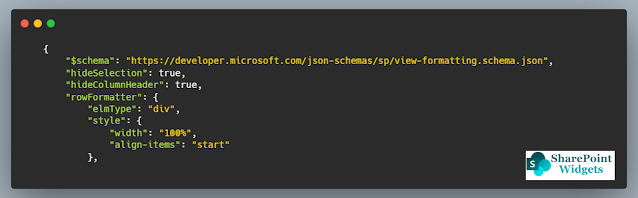
 Hi Friends, Today I will be showing a simple dashboard, which displays the current status of the applications in development. This dashboard is mostly effective in quick review meetings or when presenting the application status to higher management. Below is how the dashboard will look like This is a very simple view but thought sometimes a simple view is much better to present rather than some complicated views. You can find the JSON here (on GitHub) Columns Needed: Title (Renamed as Application Name) Status    Hope this view will help you. Happy Coding..!! #Microsoft #SharePointWidgets #ListViewFormatting

SharePoint List View Row Formatting: Ideation Management

Image
Hi Friends, In this blog, I have created a formatted for the ideation management. In most of the organizations we do have it, some are having it as an isolated product and some of them have it in a SharePoint List.  So I have come up with a design, which will help in managing the ideation more efficiently. Look into the features and it might attract you 😊 You can find the code here Features..!! Clear identification of the stage of the idea Filter on the base of the stage of the idea Clear display of the estimated budget and benefits from the idea Clear display of the Risk of the idea Assign medal to the idea which is most valuable Columns needed for the view Title Description Submitter Budget Cost Benefit Estimate Risk Rating Stage Assign Medal Hope this view will help you. Happy Coding..!! #Microsoft #SharePointWidgets #ListViewFormatting

SharePoint List View Row Formatting: Deployment Schedule

Image
Hi Friends, Many of us have maintains the deployment schedule in SharePoint List and with a lot of columns and information, it is really painful to have a view with all relevant information. Today I had worked on the SharePoint Deployment Schedule list to give it an interactive view so that one can know about the status one first sight. Code can be found here With the help of JSON, the view displays the current status of the deployment for different environments, the responsible person, and the spring in which it was to be deployed. There are two views, List View Tile View To get the view following columns will be needed Title Application Package Version Status QA Deployment UAT Deployment PROD Deployment Responsible QA Deployment Sprint UAT Deployment Sprint PROD Deployment Sprint Hope this post will help you. Happy Coding..!! #Microsoft #SharePointWidgets #ListViewFormatting

List View Row Formatter - Issue Tracking

Image
Hi friends, Microsoft has changed the SharePoint drastically and now we do not need to write the custom solution for every need and take a toll on the performance. List view formatted is very powerful and I think it solves a lot of problems where we need to write the custom code and there is the least performance hit as well. Today I have worked upon the "Issue Tracking List" - list view row formatted. You can find the JSON file here Features Simple view Large view dedicated to the comments section, so once can read all the comments against the issue in a single view without even opening the item A lot of filters, clicking on the below columns filters the list upon that value. So one not need to create multiple views Happy Coding !! #Microsoft #SharePointWidgets

SharePoint Image Gallery

Image
 Hi Friends, SharePoint Framework Image Gallery webpart will allow you to create a image gallery with lot of options. These are beautiful galleries options with responsiveness and configurations. In this webpart, there are 3 types of gallery views, which will help you in desiging your SharePoint page more attractive and more meaningful Check the code here Gallery Views Lightbox Layout Carousel layout List Layout Features..!! Add Captions to the images Create redirect links with any view Add description to the List layout for more information Choose source from the current site or any other site Option to choose from multiple document libraries Option to choose from the number of images Option to choose from the auto-rotation and the duration in the carousel layout Option to choose from number of images in a row, set as per your area Lightbox Layout Screen This layout is a flexible layout where multiple images can be displayed in a small area. You have the option to choose the numbe...