Posts

Showing posts with the label list

SharePoint List View Formatting: Application Development Dashboard
Image
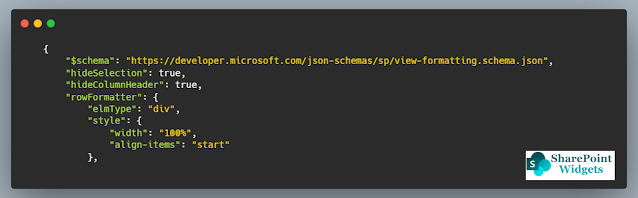
 Hi Friends, Today I will be showing a simple dashboard, which displays the current status of the applications in development. This dashboard is mostly effective in quick review meetings or when presenting the application status to higher management. Below is how the dashboard will look like This is a very simple view but thought sometimes a simple view is much better to present rather than some complicated views. You can find the JSON here (on GitHub) Columns Needed: Title (Renamed as Application Name) Status    Hope this view will help you. Happy Coding..!! #Microsoft #SharePointWidgets #ListViewFormatting

Play Big with large lists and document libraries

Image
  What if the SharePoint list or library grew too big? This is a very common question when you are designing the SharePoint solution. So in this article, I will try to explain how you can do that. Impact of unhandled Large List So, the problem first, What is the impact if it grew too large..?? Will we lose data ... ?? NO Will, the data be deleted... ?? NO Is data not safe.. ?? NO What is the Threshold limit? So what is the impact of a large list?? yes, Threshold is the cause The impact is that you will get the threshold error if your view contains records greater than 5000. When any list or library view returns records of more than 5000 it displays the threshold error. This is the hard-line limit a view can show up the number of records. So, there are multiple ways you can handle this error Solution 1: Switch to Modern View, as the latest the best and will be continuously improved. For modern Microsoft is continuously evolving and more enhancement will be there in the future. Solut...

Retrieve SharePoint List Item Versions in SharePoint Online using PnP

Image
  In many cases, we need to identify the versions of the SharePoint List Item. So here is the way to get all the versions of the item using PnP. function   Get-ItemVersion  {      param  ($spURL, $spListTitle)           $checked  =  ([ char ] 8730 )           Write-Host   " Creating connection to the SharePoint Online..... "   - ForegroundColor Yellow  - NoNewline     $spConnection  =   Connect-PnPOnline   - Url $spURL  - UseWebLogin  - ReturnConnection  - ErrorAction Stop      Write-Host  $checked  - ForegroundColor Green       Write-Host   " Reading list items from ' $listTitle '..... "   - ForegroundColor Yellow  - NoNewline    ...

Comparing List Item count of SharePoint Sites

Image
 Hi friends, When we are migrating we would like to automate as much as possible. One of the processes that I automated was the comparison of the list item count for the two SharePoint sites. Using this PowerShell script will generate the CSV file will all the list differences. This is the quick way of validating the migration of thousands of sites. Happy Coding..!!

SharePoint List View Row Formatting: Ideation Management

Image
Hi Friends, In this blog, I have created a formatted for the ideation management. In most of the organizations we do have it, some are having it as an isolated product and some of them have it in a SharePoint List.  So I have come up with a design, which will help in managing the ideation more efficiently. Look into the features and it might attract you 😊 You can find the code here Features..!! Clear identification of the stage of the idea Filter on the base of the stage of the idea Clear display of the estimated budget and benefits from the idea Clear display of the Risk of the idea Assign medal to the idea which is most valuable Columns needed for the view Title Description Submitter Budget Cost Benefit Estimate Risk Rating Stage Assign Medal Hope this view will help you. Happy Coding..!! #Microsoft #SharePointWidgets #ListViewFormatting
List View Row Formatter - Issue Tracking

Image
Hi friends, Microsoft has changed the SharePoint drastically and now we do not need to write the custom solution for every need and take a toll on the performance. List view formatted is very powerful and I think it solves a lot of problems where we need to write the custom code and there is the least performance hit as well. Today I have worked upon the "Issue Tracking List" - list view row formatted. You can find the JSON file here Features Simple view Large view dedicated to the comments section, so once can read all the comments against the issue in a single view without even opening the item A lot of filters, clicking on the below columns filters the list upon that value. So one not need to create multiple views Happy Coding !! #Microsoft #SharePointWidgets

SharePoint Online list conditional formatting and list forms formatting

Image
Hi Friends, As of today's update Microsoft is coming up with some new features as part of the SharePoint list and list forms formatting are concerned. Below are the highlights of the video: New Term has been introduced: RULES Using these rules one can do the column formatting without writing the JSON Customization of list forms (apart from PowerApps) Show/Hide of columns conditionally Re-arrange the rendering of the fields (sorting) Happy Coding Sumit Kanchan #Microsoft #SharePointWidgets

Latest Updates Microsoft SharePoint Online in Site Improvements , List and Library Improvements and Page Authoring

Image
Hi Friends, here comes the Microsoft latest update that they will come up with in the region of the site improvements, list and library improvements and page authoring improvements. Site Improvements: Navigate through the major portions of the page using reserved tab stops. Take advantage of the new accessible SharePoint Online page authoring experience for edit and view your home page. Proper field types and labels that provide details to screen reader users on what each field is and how to use it. List and Library Improvements: Keyboard shortcuts for all major list functions, including a shortcut (SHIFT+F10) for the details menu. Press the question mark “?” to browse the full list of shortcuts. Up and Down Arrow keys navigate between list items. Left and Right Arrow keys navigate between columns. Action confirmations when you updated list item fields. Focus returns to where you were when you finish working in the list and exit, so you never have to start from t...